Day start shift feature is most useful for those who work through midnight. By default days are represented from midnight to midnight. So if you work through midnight you would end up with something like this.
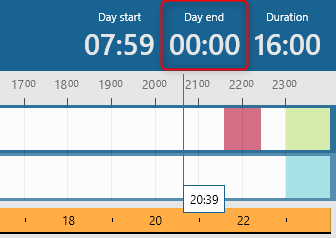
This isn't very user friendly and it is almost impossible to know how much you worked on a given day if you normally stop working at 2 AM for example.
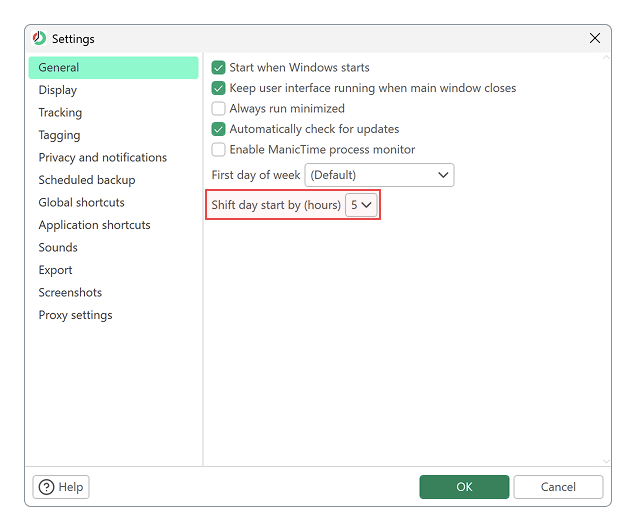
Day start shift allows you to tell ManicTime from when to when the day is counted. So for example a day start shift of 5 will display all days from 5AM to 5AM.
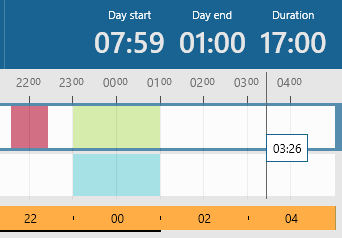
 Now the same day pictured above will look like
 Statistics will also take this into account. For example, lets say day start shift is configured to 5 AM. If we have these three tags:
Meeting 9:30PM - 10:30PM (Jun 11)
Browsing 11PM - 12AM (Jun 11)
Browsing 12AM - 1AM (Jun 12)
Statistics will also take this into account. For example, lets say day start shift is configured to 5 AM. If we have these three tags:
Meeting 9:30PM - 10:30PM (Jun 11)
Browsing 11PM - 12AM (Jun 11)
Browsing 12AM - 1AM (Jun 12)
In statistics you would see Meeting 1hrs and Browsing 2hrs for Jun 11th.